
Billing
This guide shows you how to manage all aspects of your SegMetrics billing, from viewing your current subscription to updating payment methods and customizing invoice information.
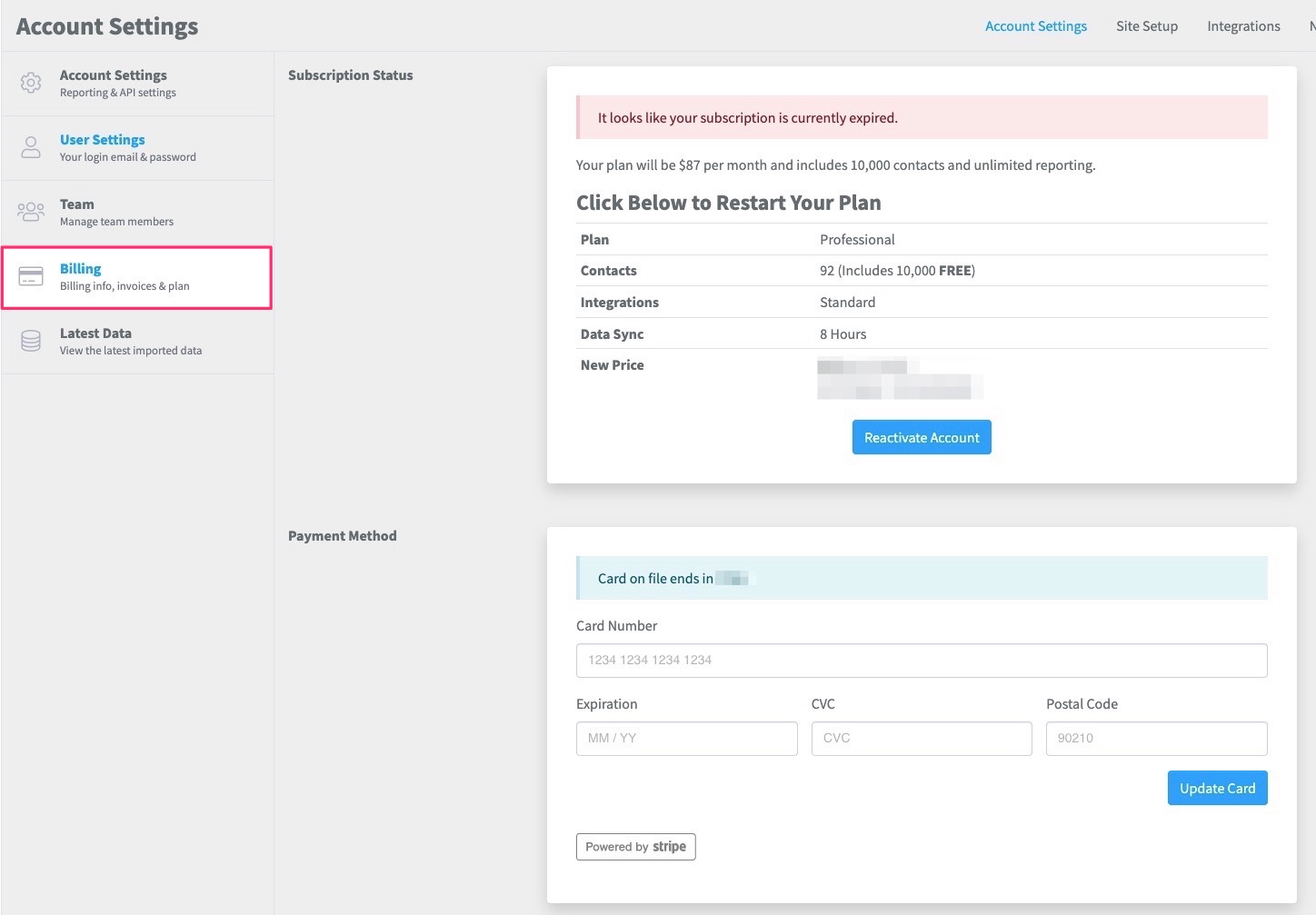
Accessing Your Billing Page
To access your billing information and make changes to your subscription:
- Log in to your SegMetrics account
- Click the Gear icon in the top right corner of your account
- Click Billing
Updating Your Payment Method
SegMetrics processes all card payments through Stripe. You'll need to update your payment information when your card expires or when you want to use a different payment method.
- Navigate to your Billing page
- Locate the Payment Method section
- Enter your new card details
- Click Update Card
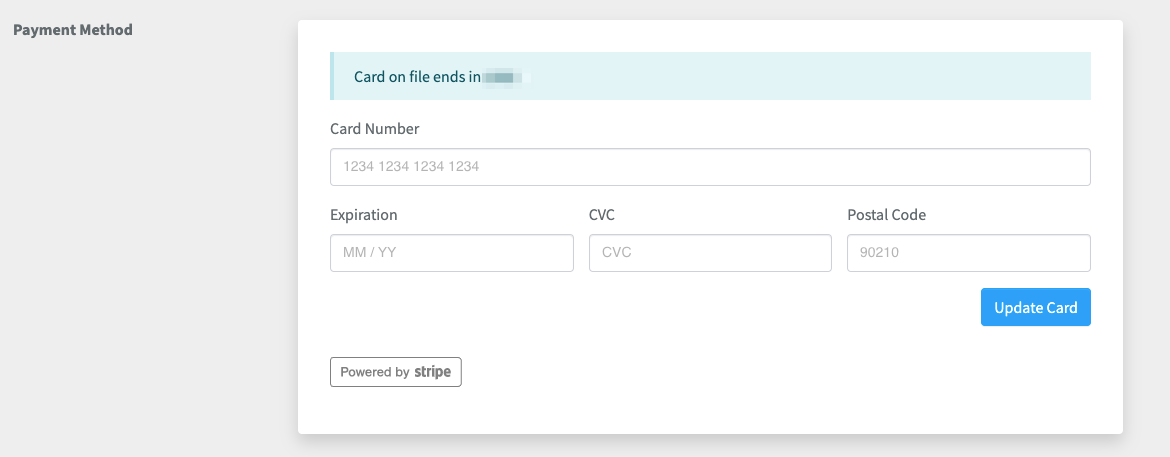
You will need to update your card information whenever your current card expires.
You will need to update your card information whenever your current card expires.
Adding VAT ID and Memos to Your Invoices
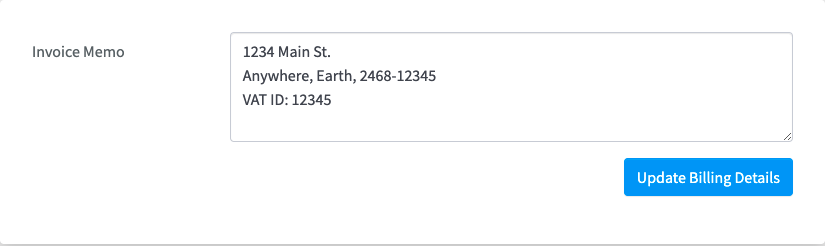
The Invoice Memo feature allows you to add important business information to all your invoices, including past ones.
- Access your Billing page
- Scroll to the Billing Details section
- In the Invoice Memo box, enter additional information you want on your invoices (such as VAT ID, business address, etc.)
- Click Update Billing Details
Your memo will appear to the right of the "Bill to" details on all invoices:
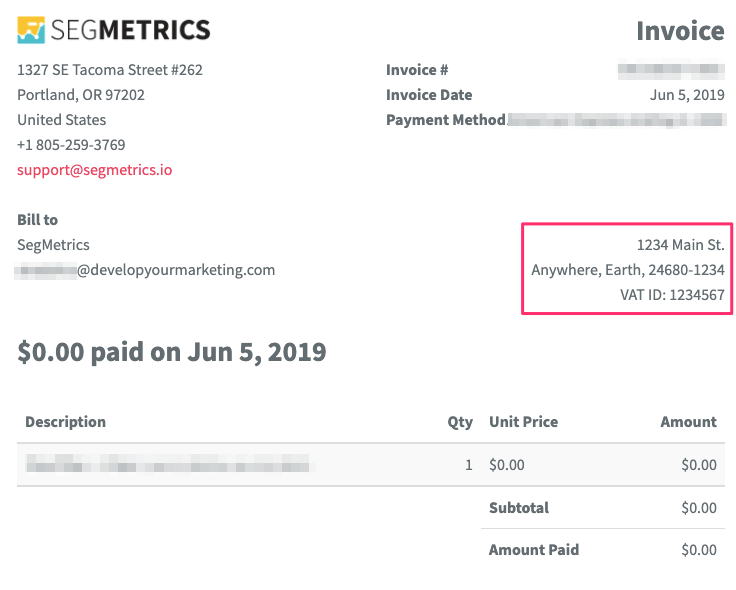
Any changes you make to the Invoice Memo will automatically update both future and past invoices.
Viewing and Managing Your Subscription
The Billing page provides complete information about your current SegMetrics subscription status:
Subscription Overview
At the top of the Billing page, you'll find:
- Plan: Your current subscription tier
- Contacts: Total number of contacts in your account (all plans include 10K contacts, with additional contacts billed at $10 per 10K)
- Integrations: The integration access level included in your plan
- Data Sync: How frequently your integrations sync data
- New Price: The total price for your next billing cycle
Downloading Past Invoices
In the Invoices section, you can:
- View a list of all past invoices with date, invoice number, and amount
- Click the Download button next to any invoice to view or save it
Frequently Asked Questions
Q: Can I change my subscription plan?
A: Yes, you can change your plan from the Billing page. For detailed instructions, see our guide on Upgrading Your Plan.
Q: How often will my card be charged?
A: Your card will be automatically charged at the end of each billing cycle based on your subscription plan.
Q: Can I get a receipt for tax purposes?
A: Yes, all downloadable invoices can be used as receipts for tax purposes. Make sure to add your business details and VAT ID to the Invoice Memo for complete documentation.
Q: Will updating my Invoice Memo change my past invoices?
A: Yes, any changes to your Invoice Memo will be reflected on all invoices, including past ones.