
Wix
SegMetrics gives you the ability to pull in all of your Contacts, Orders and more from your Wix account. With that information, you can easily segment that data into your leads, find the automation triggers that convert to customers, understand where your most valuable leads are coming from, and more!
Note: This integration does not provide tag dates. SegMetrics will record the date a tag was first seen rather than the date it was originally applied.
Wix Integration Overview
Our direct Wix integration lets you pull in all of your Contacts, Orders and more from your Wix account. This integration enables advanced segmentation and automations based on customer behavior and purchase history.
SegMetrics takes the data from your Wix site and connects it to the email addresses in your CRM. You don't need to import the orders or tag people in a special way: they just need to be in Wix and your CRM!
Important note: For SegMetrics to properly track your site activity and attribute conversions back to ad and email clicks, you'll need to install your SegMetrics tracking pixel to your Wix Site. This feature is limited to paid Wix plans only.
How to connect Wix to SegMetrics
- Click on the gear icon in the top right corner and then click "Integrations"
- Select the Wix integration from the Integrations page
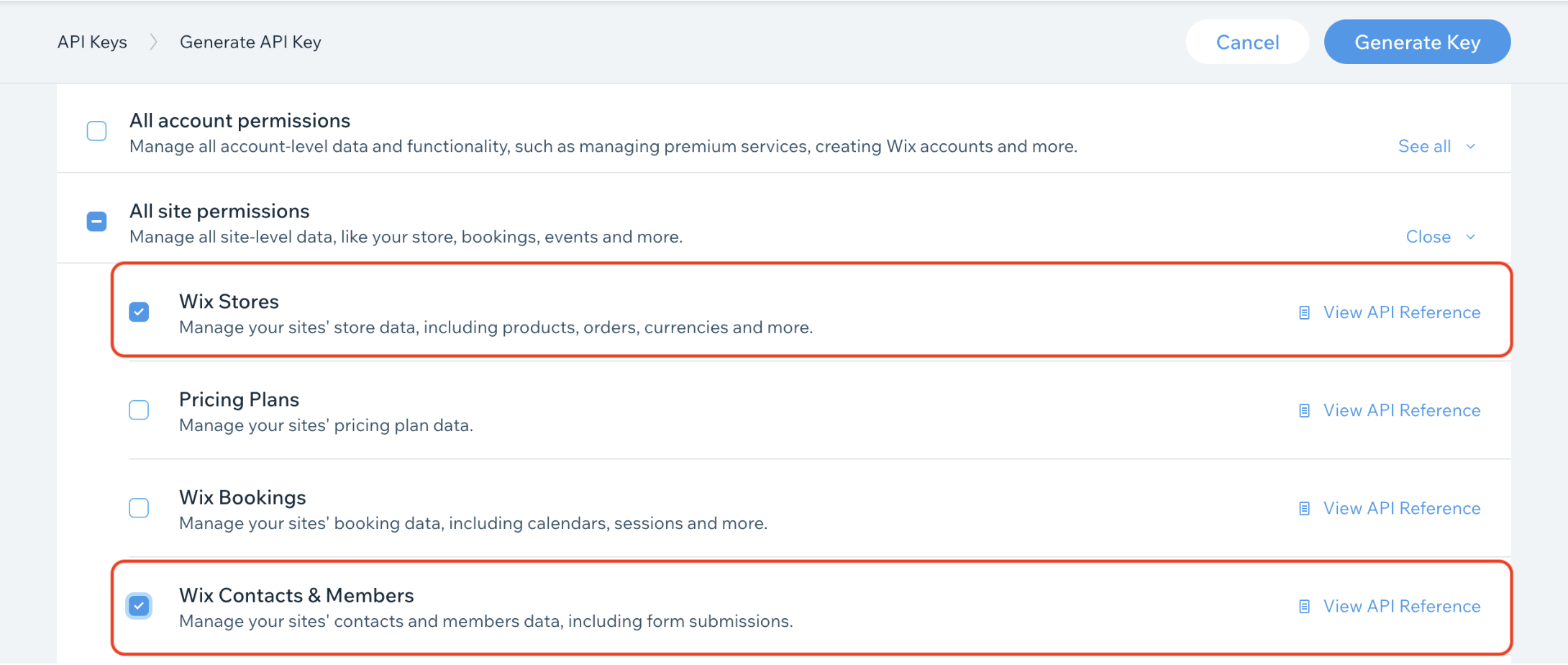
- Generate an API Key in your Wix Account Settings. You'll need to ensure you grant the Wix Stores and Wix Contacts & Members permissions under the All site permissions section.
- Locate and copy your Account ID from your Wix Account Settings

- Locate and copy your Site ID from your Site Dashboard's URL
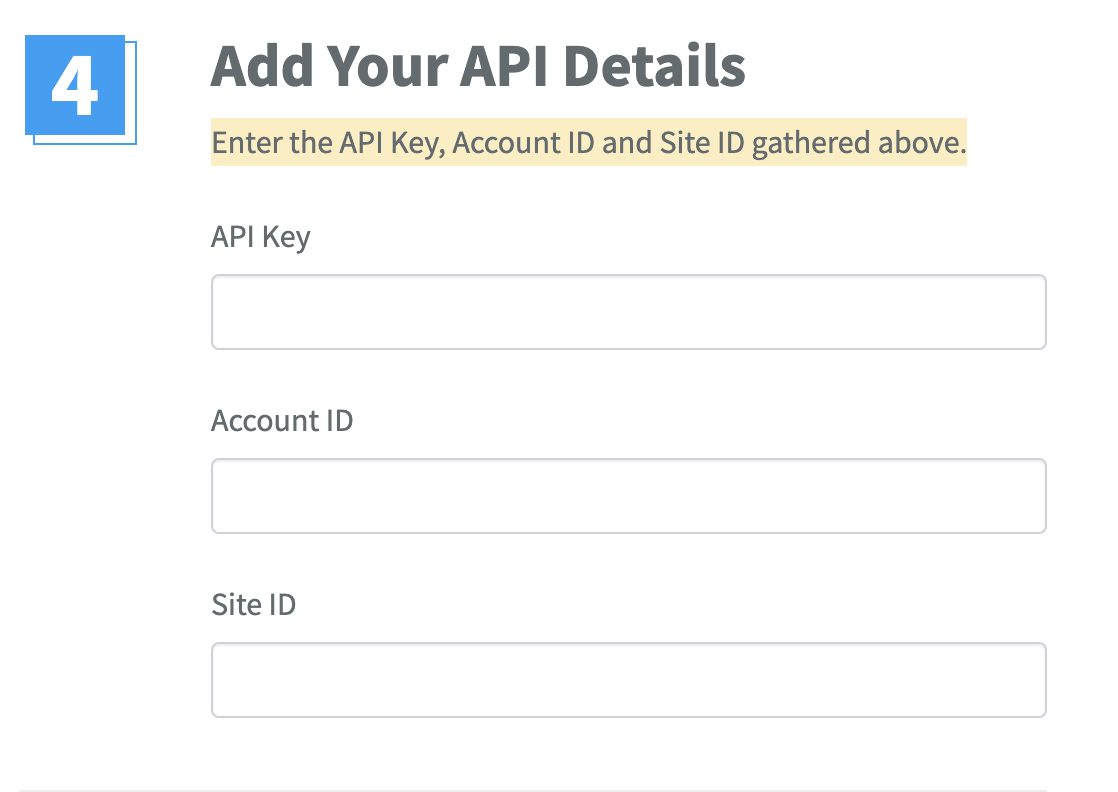
- Enter the API Key, Account ID and Site ID into the Wix integration page in SegMetrics
- Click Connect Wix
Once connected, SegMetrics will start importing all of your historic contact data, including email addresses, tags, and more. You should receive an email once the import is complete. Imports can take up to 25 minutes to complete.
How to use Wix data in SegMetrics Reports
Once your data is imported from Wix, you can create reports with the data to see how each touchpoint influences your sales.
Since Wix provides both contact/member data and store/order data, you can use it in multiple report types:
For Contact & Member Data:
- Acquisition tracks newly created contacts
- Nurture tracks contacts who received tags or list additions
- Advertisement Reports - leads who clicked an ad first, then opted in
- Engagement tracks contacts who visited pages or engaged with emails
- Orders tracks contacts who made purchases
- Subscriptions tracks contacts who started subscriptions
For Store & Revenue Data:
- Acquisition Reports - NEW customers only
- Nurture Reports - customers who received tags/list additions
- Advertisement Reports - customers who clicked an ad and then purchased
- Engagement Reports - customers who interacted with website
- Orders Reports - ALL revenue regardless of status
- Subscriptions Reports - customers who started subscriptions
Note: What SegMetrics considers a subscriber or subscription may vary slightly compared to Wix's revenue source/integration.
Frequently Asked Questions
Q: How much historical data gets pulled in when I first connect?
A: When you connect a new Wix data source, all historical data from your Wix account is synced. This includes all contacts, orders, and other available data.
Q: Do I need the SegMetrics tracking pixel on my Wix site?
A: Yes, to properly track site activity and attribute conversions back to ad and email clicks, you'll need to install your SegMetrics tracking pixel. Note that this feature requires a paid Wix plan and can be installed via Custom Code Settings or Google Tag Manager.
Q: What permissions do I need to grant in Wix?
A: You must grant Wix Stores and Wix Contacts & Members permissions under the All site permissions section when generating your API key in Wix Account Settings.
Q: Can I use this integration on the free Wix plan?
A: While you can connect the integration itself, installing the SegMetrics tracking pixel (required for proper attribution) is limited to paid Wix plans only.
Q: How often does the data sync between Wix and SegMetrics?
A: Once your Wix Data Source is connected and actively syncing data, SegMetrics stores the collected data in its own database. This allows for accumulating more data over time as syncs are made, ensuring you can report on the most up-to-date Wix data.